
Admissions & students
Move from application to a structured student record and active enrolment.
SchoolDB gives leaders, administrators, teachers and families one connected platform for the work that keeps a school moving.
School operations
School Command Center
Today at your school
Attendance, students, staff and collections in one place.
Students
1,248
Active records
Attendance
94.6%
Today
Collections
₹18.4L
This month
Attendance today
Daily position
Needs attention
One system
From admission to everyday operations
Every role
Leadership, staff, teachers and families
Your identity
School-specific branding and workspace
SchoolDB keeps people, academic context and operational records connected, so your team does not have to rebuild the same information across separate tools.
Move from application to a structured student record and active enrolment.
Organise academic years, branches, classes, sections, subjects and teacher allocations.
Run daily attendance, corrections, history, rankings and student-level reports.
Plan exams and schedules, record marks and publish result and report-card views.
Manage fee plans, instalments, collections, outstanding balances and receipts in INR.
Keep homework, subjects and teacher-led academic work connected.
Handle staff tickets, parent queries, notices and notifications in context.
Generate operational reports, receipts, certificates, ID cards and exports.
Track books, copies, categories and lending activity alongside student records.
Maintain routes, stops, vehicles and student transport assignments.
Use guided CSV workflows for larger setup and day-to-day data operations.
See attendance, collections, action items and activity from a focused dashboard.
People work from the same school data while seeing the information and actions appropriate to their role.
Leadership
A command-center view of attendance, collections, school activity and pending work.
Administration
Admissions, students, fees, documents and daily operations share one school structure.
Teachers
Access assigned classes, attendance, homework, notices and results in a focused workspace.
Families & students
Use secure self-service views for attendance, fees, results, homework, notices and requests.
SchoolDB gives students and families a calm, focused Android experience for the information they need—without exposing the complexity of the administrative workspace.

SchoolDB for Android
Built for students, families and school teams
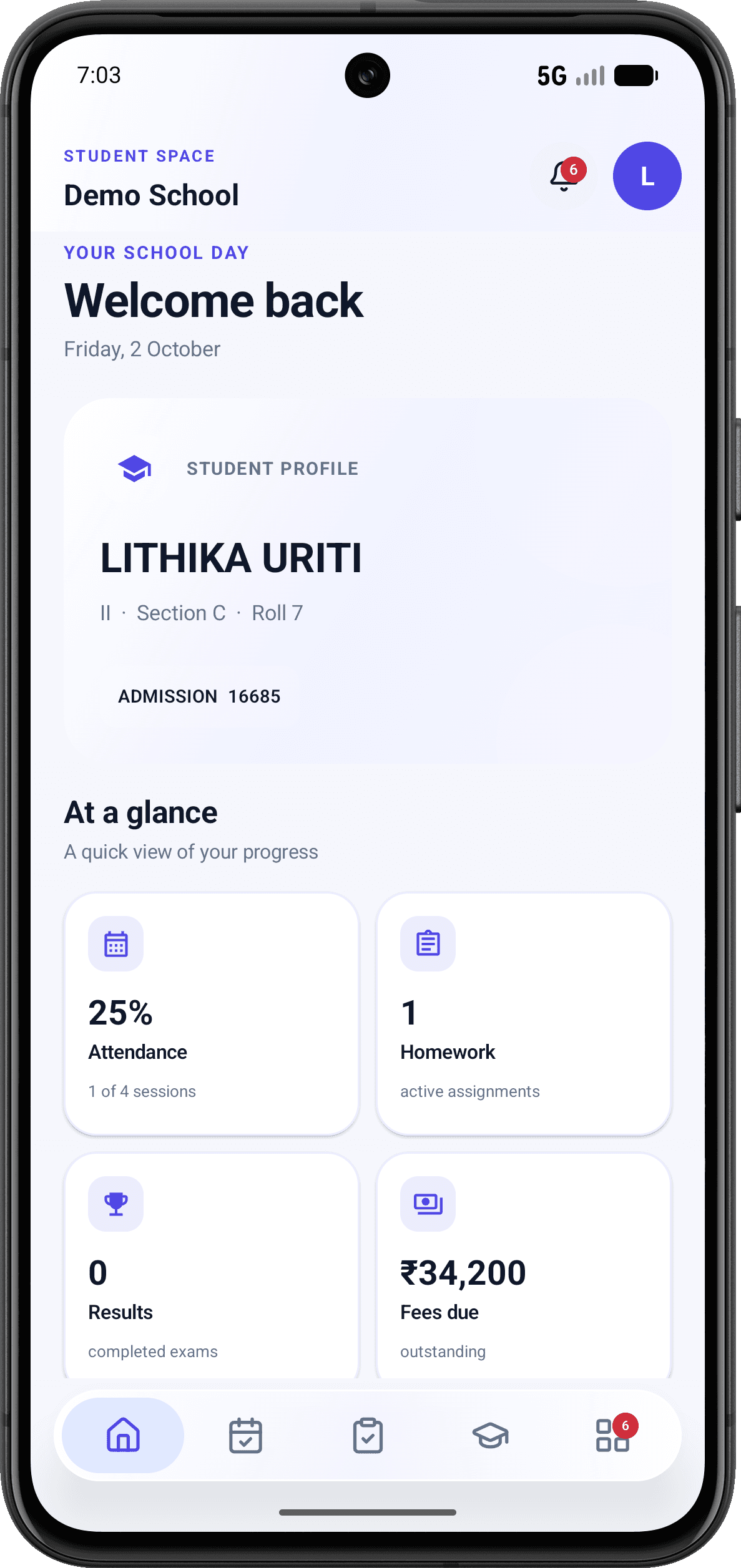
A clear daily view
One place for the learner’s profile and the school information families check most often.
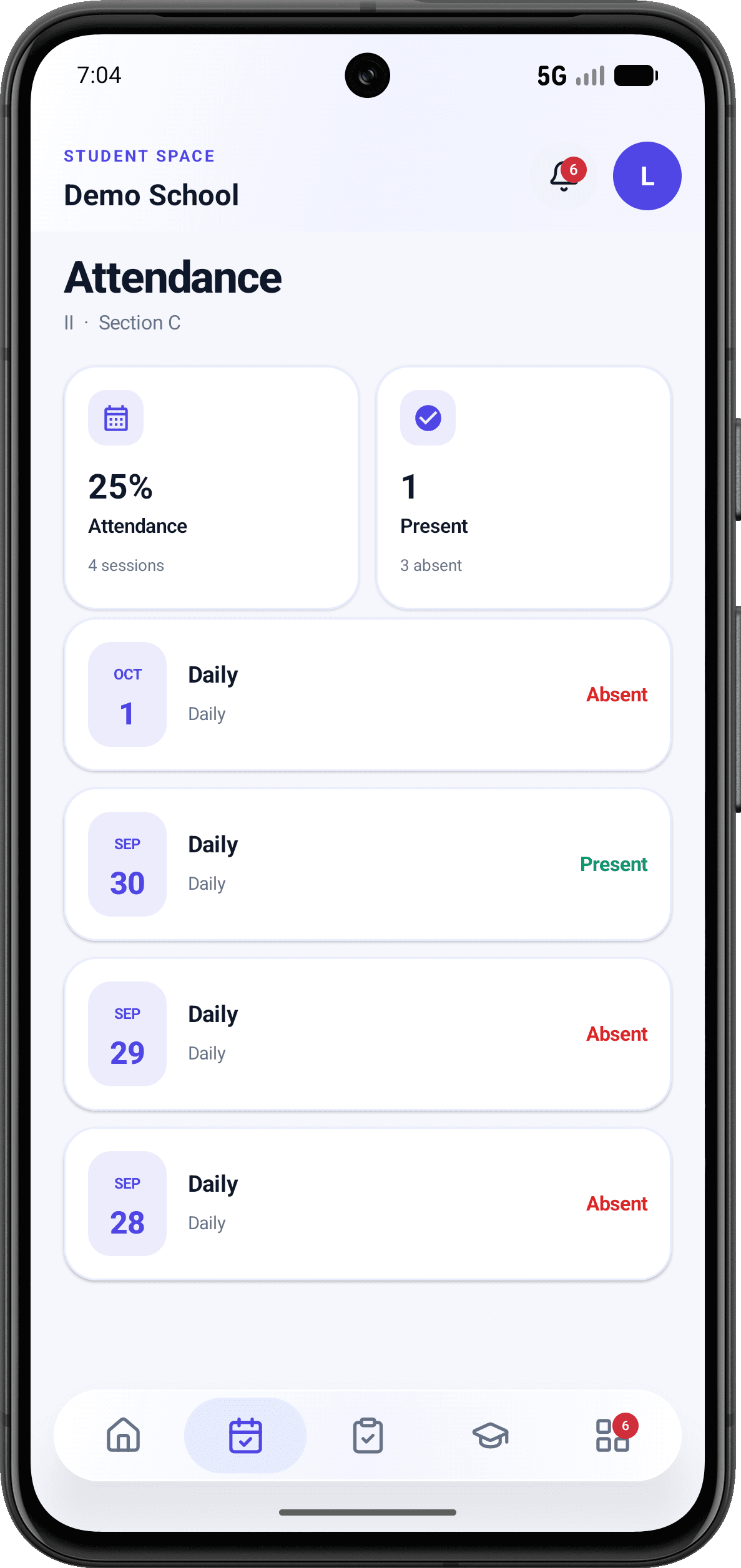
Easy to understand
Families can see the overall position and the status of each recorded school day.
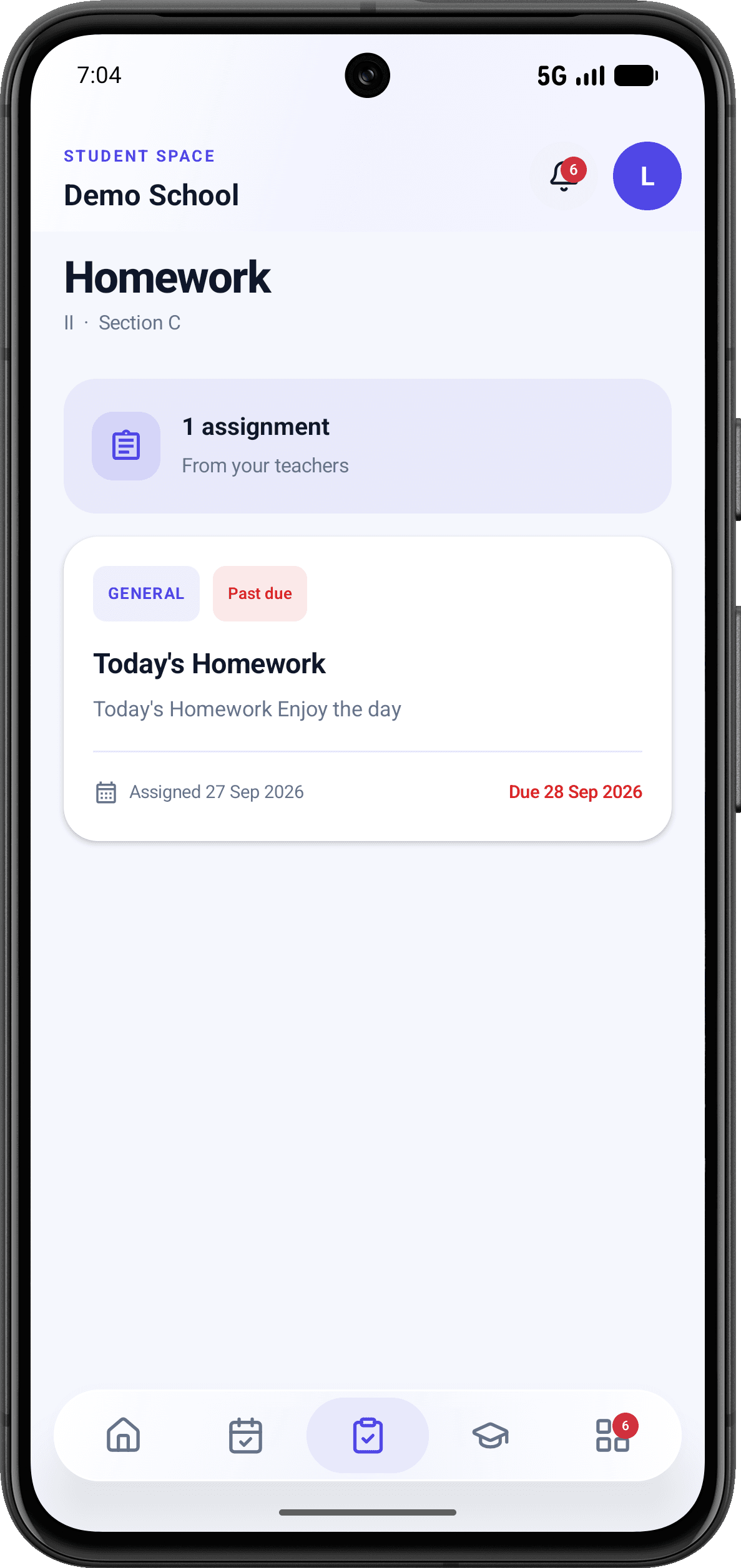
Work stays visible
Assignments, descriptions and due dates are presented in a focused student workspace.
Swipe to explore the SchoolDB mobile experience
A useful rollout begins by understanding your people, structure and existing process, then configuring SchoolDB around the agreed scope.
We begin with your academic structure, current records and the workflows your team already follows.
Set up the school, academic year, classes, sections, users, permissions and required modules.
Use guided forms and bulk import tools to establish students, staff and operational records.
Walk your team through daily tasks and continue with a clear support path after go-live.
Confidence by design
SchoolDB combines authenticated identities, school-specific membership, role-aware access and operational visibility. Trust is explained through concrete controls rather than absolute security promises.
Visit the Trust CenterWorkspaces and actions are shaped around each user’s school and role.
Sensitive files and records are served through authenticated permission checks.
Notifications, notices and support workflows keep important work visible.
Schools receive a direct route for reporting privacy, access and security concerns.
Choose the operational areas and onboarding support your school needs. The exact scope is documented before subscription payment.
Custom annual subscription
Your quotation considers student count, selected modules, onboarding needs and subscription term. It clearly lists included services, taxes and the payment schedule.
A personalised demonstration is the best place to confirm fit, scope and rollout expectations for your school.
Yes. A demonstration starts with your school’s academic year, classes, sections, subjects and operating process so the proposed setup is grounded in how your school works.
No. SchoolDB uses role-aware workspaces. Administrators, teachers, families and students see the areas and actions relevant to their access.
SchoolDB includes guided bulk operations for common school data. The onboarding scope identifies what can be imported and what preparation is required.
Pricing is provided in a written INR quotation based on student count, selected modules, onboarding needs and subscription term. Scope, taxes and payment schedule are shown before payment.
SchoolDB combines authenticated accounts, active school membership, role and permission checks, school-scoped records, private file delivery and operational audit records.
Yes. The Android experience gives students and families focused access to information such as attendance, homework, fees, results and school notices.
See SchoolDB with your workflow
Tell us how your school works today. We will show the relevant SchoolDB workflows and discuss a practical path to launch.